A plumbing company we work with had about forty rows in one month that all said roughly the same thing. Water coming through ceiling. Ceiling wet upstairs. Brown patch on bedroom ceiling. None of those phrases was a keyword in the account. Most of them converted. Nobody had ever written an ad that used the word ceiling.
That is the search terms report doing the only job it is good at. Most advertisers open it once a month, scan for obviously wrong words, add four negatives and close the tab. That is the least valuable thing you can do with it.
What the report is now, and what it stopped being
Two changes matter before you read a single row.
First, it is not a complete list. Since September 2020 Google only shows terms that “have seen sufficient search volume across all Google searches”, and it has never published the threshold. Everything below it is withheld. Google’s own page on privacy thresholds in the search terms report also confirms that historical query data collected before 1 September 2020 was removed from accounts in February 2022. So the spend in your report will not reconcile with the spend in your campaign, and the gap is not a bug.
Second, since September 2026 a lot of accounts are reading a different report than they were reading in August. Google auto-upgraded Search campaigns that used the campaign-level broad match setting, and campaigns using the old automatically created assets, to AI Max across that month. Dynamic Search Ads are following: Google has said the DSA sunset moves to February 2027. In an upgraded campaign, the AI Max documentation describes a new “AI Max” value in the match type column and a Source column that tells you whether a term arrived by broad match expansion or by keywordless matching, which uses your landing pages and assets rather than your keyword list.
That second one changes how you read an odd row. It used to mean a matching mistake. It can now mean Google decided your page was the answer to a question you never bid on. Those two need different responses, and the Source column is the only way to tell them apart.
The report lives under Campaigns, then Insights and reports, then Search terms.
Sort it by something other than cost
Everyone sorts by cost descending and reads the top twenty. Those are your obvious keywords. They teach you nothing. Four sorts that do:
- Clicks with zero conversions, sorted by clicks. This is the money you burned. Group it by theme before you judge any single row.
- Impressions with a very low click-through rate. Your ad appeared and was rejected. Either the intent is wrong or the ad is not saying the thing that query wanted.
- Terms that converted and are not in your keyword list. The report’s best gift, and almost nobody harvests it.
- Match type set to AI Max. In an upgraded campaign this is the expansion, isolated. Read it before you decide whether you like the upgrade.
Questions to ask a strange row
In order:
- What did this person want that made our ad look like the answer?
- What matched it, and does the Source column say broad match expansion or keywordless?
- Did they click? If so, the ad promised something. Did the page deliver that thing?
- Does this term appear once, or is there a family of twenty like it?
The last question decides the action. One strange term is noise. Twenty variations of the same wrong idea is a structural problem, and the fix for that is usually a keyword, an ad or a page. Not a negative. Negatives are for the rows that are simply not your business, and keeping that list tidy is its own slow discipline.
What you are actually looking for
Here is the part that makes the half hour worth it, and it is not the negative keyword list.
Stop reading terms as strings. Sort them into buying stages. In the accounts our team audits, search terms fall into five groups, and the correct action differs for each one.
- Problem language. Water coming through ceiling. My site is slow. These people do not know what to buy yet. They convert later and at a lower rate. Worth having, worth a different page, not worth your top bid.
- Solution language. Roof leak repair. Page speed optimisation. This is the core. Everything here should have an ad group and a page that repeats the phrase.
- Comparison language. Best, versus, alternative, reviews, top ten. Expensive, informational, usually better served by an article than an ad. This is the first thing we cut when a budget tightens.
- Price language. Split this carefully. Cost and price are strong commercial intent. Cheap and free usually are not. Salary and jobs never are.
- Wrong entity. Another industry, a competitor’s product line, a word that means two things. Negatives, same day.
Then the arithmetic that nobody does. Tag every row with one of the five, pivot by bucket, and look at spend, conversions and cost per conversion for each one. Now you can see which stage of intent your money has been buying, which is a different and much better question than which keyword is expensive.
The usual answer is uncomfortable. A quarter or more of the budget sitting in comparison and problem language that nobody chose to fund. It got funded by accident, by a loose match type and a year of not looking. Fund it deliberately or cut it, but stop paying for it by default. If you would rather someone else did the tagging, that is part of what our ads work involves.
Half an hour, done properly
- Set the date range to 60 or 90 days. A week of rows will fool you, and Google generates its own search terms insight themes from the last 56 days, so you are roughly in step with its view.
- Add the Source column, then export. The interface is fine for scanning and bad for grouping.
- Add a column called bucket and tag every row. Boring for ten minutes, then quick.
- Pivot by bucket.
- Three decisions come out: negatives for the wrong entity rows, a home for any converting theme that has not got one, and a yes or no on problem and comparison language.
One more thing, and it is the reason we keep doing this by hand. Keep a running document of the exact phrases your customers use, and do not keep it for the ad account. Keep it for the business. Those phrases belong in your page titles, your sales emails, your quotes, the thing you say on the phone in the first ten seconds.
Finding a converting term with no matching keyword and simply adding the keyword is the mistake. The keyword was never the asset. The sentence was. Someone typed it when they were alone, slightly panicking, and wanted something.
 Business Club Varna2 years, 140+ members, zero ad spend
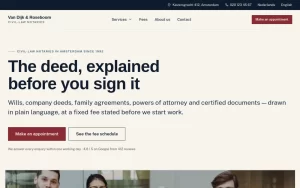 Van Dijk & RoseboomPublished fees, Dutch and English as equals
 Construction Elite RoofingCost per booked job cut by 41%
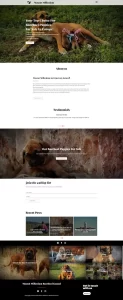 Mascot MilleniumBuyers from 12 countries in year one
 Solene EstatesLive filtering across sale and rental
 Ignite Art UniversityFiltered course finder, ten degrees
 Marchetti Italian FurnitureSeparate catalogue and bespoke paths
 KUKUIPart of the team managing $8M+ a year