Raising a click-through rate is trivial. Write something warm and unspecific, imply a price you do not actually offer, and people will click. They land, read the real offer, and leave. You paid for every one of them.
Hold these two ads in your head, because we are coming back to the first one later.
- Professional roofing services. Free quote, trusted local team.
- Roof replacement in 3 days. Licensed, insured, 10-year workmanship warranty.
The second one will get fewer clicks. It also loses the wrong clicks: someone who wanted a cracked tile fixed reads “roof replacement” and moves on, and that money stays in your account.
Your ad is read in a stack, not on its own
Nobody reads your ad in isolation. On a commercial query there are three or four paid results, an AI-generated answer sitting above or around them, and the organic results underneath. Your ad gets perhaps a second and a half, in a column where every competitor is saying quality, fast and trusted.
That is the actual mechanic. Not persuasion, comparison. When every ad on the page says the same thing, the reader takes the top one or the cheapest one. When one ad names a specific fact, it gets taken by the person that fact matters to.
Write something that pushes people away
The most useful habit we have taken from running search accounts at volume is putting at least one disqualifying asset in every ad group. A price floor. A minimum order. A service area. A business size.
From 4,800 lev. For teams of 10 or more. Varna and 30km around.
Advertisers resist this because volume drops and the dashboard looks worse. Cost per click is a cost, though, not a score. If the ad states your price range before the click, everyone who clicks has already accepted it, your sales calls get shorter, and your close rate moves. None of which appears anywhere in the Google Ads interface, which is why it keeps getting argued out of existence.
This matters most where price surprises people: custom fabrication, legal, dental, construction, B2B software with real implementation cost. If you have ever ended a call by explaining that the budget is far below what you do, your ad should have printed the number.
Building a responsive search ad you can actually read
A responsive search ad takes up to 15 headlines and 4 descriptions and assembles combinations itself. Asset-level reporting now gives you clicks, cost and conversions per asset rather than the old Good/Low labels. That is only useful if you fed it genuinely different things. Fifteen headlines that all mean “we are good at roofing” produce fifteen rows of noise.
The split we use:
- Three or four headlines naming the exact service and the exact place or segment. These carry relevance. Pin one to position one if the campaign is tightly themed and the matching is drifting.
- Three that are proof. Years trading, number of installations, warranty length, certification, response time. Facts you could defend to a customer who asked.
- Two or three that disqualify. Price floor, minimum, geography, or plainly who this is not for.
- Two that state what happens next. Not “learn more”. Book a 15-minute call. Fixed quote in 24 hours. See stock and sizes.
- Descriptions that answer the only two questions in the reader’s head: will this waste my time, and what will it cost.
Then leave it alone long enough to collect data. Judging asset performance across a handful of conversions is guessing with extra administration.
Remember the first ad
Professional roofing services, free quote, trusted local team. Google will now write that one for you.
On 11 June 2026 Google confirmed that campaigns using automatically created assets and campaign-level broad match would be upgraded into AI Max for Search from September 2026, and that the Dynamic Search Ads transition had been pushed back to begin in February 2027. Among the features it brings is text customisation, which generates headlines and landing page selections from your website content, and search term matching, which goes looking for queries beyond your keyword list. Google says the settings will be configured to mirror your legacy setup once the auto-upgrade completes.
Google’s own figure for the full feature set is “an average of 7% more conversions or conversion value at a similar CPA/ROAS” against search term matching alone. Treat that the way you would treat any number published by the company selling the feature: directionally interesting, not evidence.
Here is what it means for copy. Competent, generic, on-brand ad text is now free and infinite. It is being generated from your website, automatically, in every account on the page including your competitors’. The first ad in this article has stopped being a lazy choice and become the default output. Which leaves exactly one thing to compete on: the specifics only you know, because they are not written anywhere a language model can read them. Your actual price floor. Your real lead time this month. The job you turn down.
If nobody at your company is feeding those facts into the account, AI Max will fill the space with pleasant generalities and you will pay for the clicks. That is the part of running paid search that has not been automated and probably will not be.
Assets do most of the work now
Headlines are a small share of the visible ad. Sitelinks, callouts, structured snippets, images, prices and the call asset often occupy more space than the text you agonised over.
If your business runs on phone calls, note the deadline: creation of new call-only ads ends in February 2026 and existing ones stop serving in February 2027. Google’s replacement is a responsive search ad with a call asset attached. Move now rather than discovering it when the impressions stop.
Use sitelinks as routes for different buyer states rather than as a copy of your site menu. Pricing, service area, how it works and one real job are worth more than About Us and Contact.
What we check before copy goes live
- Is there one number in the ad? Price, days, quantity, years, kilometres.
- Does the landing page repeat the exact phrase from the headline? If not, half the click is already gone.
- Does it promise something sales cannot deliver? “Free” is the usual offender. If the first consultation is free and the site survey is not, say which.
- Could a competitor run this ad unchanged, with their logo on it?
If the answer to the last one is yes, you are not advertising. You are paying to advertise your category, and someone else on that page is about to close the lead.
 Business Club Varna2 years, 140+ members, zero ad spend
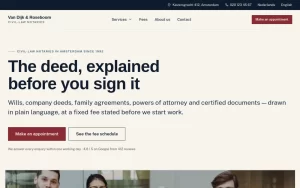 Van Dijk & RoseboomPublished fees, Dutch and English as equals
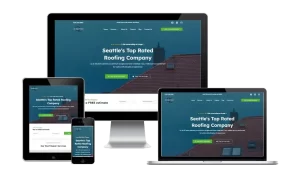 Construction Elite RoofingCost per booked job cut by 41%
 Mascot MilleniumBuyers from 12 countries in year one
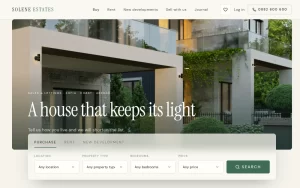 Solene EstatesLive filtering across sale and rental
 Ignite Art UniversityFiltered course finder, ten degrees
 Marchetti Italian FurnitureSeparate catalogue and bespoke paths
 KUKUIPart of the team managing $8M+ a year